Qualitative research often generates hundreds of pages of interview transcripts, focus group discussions, field notes, and observations. Reading through all of that information is one thing. Organizing it into meaningful themes that answer your research questions is another challenge altogether. That’s where NVivo for thematic analysis becomes incredibly useful.
If you’re wondering how to organize interview transcripts, code qualitative data, and develop reliable themes for your dissertation, NVivo provides a structured way to manage the entire process. Rather than manually highlighting text across multiple documents, you can build a well-organized coding framework, compare participant responses, and confidently support your findings with evidence.
At Research10X, we regularly assist postgraduate researchers, doctoral candidates, and academic professionals through our academic research consultancy services. Whether you’re conducting interviews, focus groups, or open-ended surveys, understanding how to use NVivo correctly can save time while improving the quality of your analysis. If transcript coding feels overwhelming, our experts can also help develop your NVivo codebook and thematic framework for your dissertation.
What Is NVivo for Thematic Analysis?
NVivo is one of the world’s most widely used qualitative data analysis software programs. It helps researchers organize, code, retrieve, and interpret non-numerical data such as:
- Interview transcripts
- Focus group discussions
- Open-ended survey responses
- Observation notes
- Research journals
- Documents and reports
- Audio and video recordings
Unlike Microsoft Word or Excel, NVivo is specifically designed for qualitative research. Instead of searching through dozens of documents manually, researchers can assign codes, create themes, compare responses, and visualize relationships between concepts.
For qualitative dissertations, NVivo acts as both a data management tool and an analytical workspace.
Why Researchers Choose NVivo for Qualitative Dissertation Analysis
Many universities across the United States, United Kingdom, Australia, UAE, and India encourage or recommend NVivo because it improves research transparency and organization.
Some of the biggest advantages include:
- Keeps all qualitative data in one project
- Speeds up transcript coding
- Makes theme development more systematic
- Helps maintain an audit trail for research validity
- Simplifies retrieval of supporting quotations
- Supports large datasets without becoming difficult to manage
More importantly, NVivo doesn’t analyze your data for you. Instead, it helps you organize your thinking more effectively.
How to Organize Interview Transcripts Before Using NVivo
Before importing anything into NVivo, spend some time preparing your data. A clean project always leads to smoother analysis later.
Your preparation should include:
Review every transcript
Read through each interview at least once without coding. This helps you become familiar with participant responses before assigning labels.
Standardize formatting
Ensure every transcript follows the same structure.
For example:
- Interview ID
- Date
- Participant code
- Questions
- Responses
Consistency makes later coding much easier.
Remove unnecessary identifiers
If your research requires confidentiality, anonymize participant names before importing files.
Save documents properly
Most researchers use:
- DOCX
- TXT
These formats work well within NVivo.
How to Import Qualitative Data into NVivo
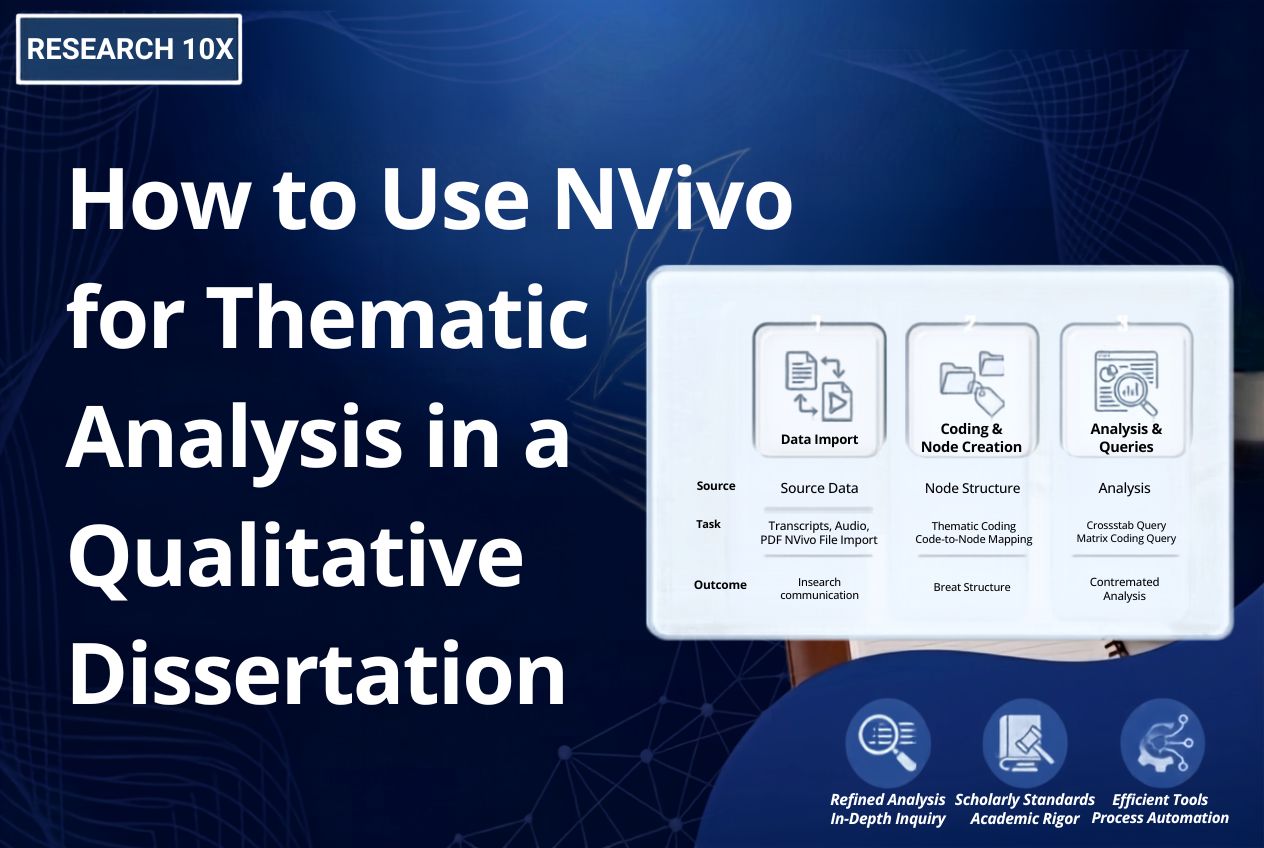
Once your transcripts are prepared, create a new NVivo project.
Import your files by selecting:
Data → Files → Import Documents
You can import:
- Individual interviews
- Multiple interview transcripts
- Focus group discussions
- PDFs
- Word documents
- Audio recordings
- Videos
- Images
- Survey responses
It’s helpful to organize imported files into folders such as:
- Interviews
- Focus Groups
- Observations
- Field Notes
A logical folder structure keeps your dissertation project manageable as your data grows.
Qualitative Coding NVivo: How to Begin Coding Interview Transcripts
Coding is where thematic analysis truly begins.
Coding simply means assigning labels to meaningful sections of text.
For example, if several participants discuss balancing work and study, you might create codes like:
- Time management
- Academic pressure
- Family responsibilities
- Motivation
- Work-life balance
Whenever another participant discusses similar ideas, you apply the same code.
Over time, patterns naturally begin to emerge.
The goal during early coding isn’t perfection. Instead, focus on capturing meaningful concepts without worrying about final themes.
Many experienced qualitative researchers recommend beginning with open coding before combining similar ideas later.
NVivo Dissertation Node Setup: Building a Strong Coding Framework
One feature that often confuses beginners is NVivo dissertation node setup.
In NVivo, a Node represents a code or category where related pieces of information are stored.
Think of nodes as digital folders for ideas.
For example:
Parent Node
Student Experience
Child Nodes
- Academic Stress
- Financial Challenges
- Social Support
- Research Skills
- Supervisor Guidance
As coding progresses, you can merge, rename, split, or reorganize nodes.
Avoid creating hundreds of tiny nodes immediately. A simpler structure is usually easier to manage and refine throughout your analysis.
Well-organized nodes eventually become the building blocks of your dissertation themes.
How to Develop Themes from NVivo Coding
After coding your transcripts, the next step is identifying broader themes.
This involves reviewing your nodes and asking questions like:
- Which codes frequently appear together?
- What common experiences do participants describe?
- Which ideas directly answer the research questions?
- Are some codes part of larger concepts?
For example:
Codes | Potential Theme |
Time pressure, deadlines, workload | Academic Challenges |
Supervisor feedback, peer support | Research Support Systems |
Confidence, motivation, resilience | Personal Development |
Remember that themes should represent meaningful patterns—not simply collections of similar words.
Good themes explain what your participants are actually saying.
How NVivo Helps You Validate Your Thematic Analysis
One advantage of using thematic analysis software like NVivo is that it helps make your analytical process more transparent.
Instead of relying on memory, you can easily trace:
- Every coded quotation
- Every supporting participant response
- Every node contributing to a theme
- Every memo documenting analytical decisions
This creates a clear audit trail, which strengthens the credibility of your qualitative dissertation.
Many examiners appreciate seeing a systematic coding process rather than unexplained theme development.
Advanced NVivo Features That Strengthen Thematic Analysis
Once your initial coding is complete, NVivo offers several advanced tools that help you explore your data more deeply. These features don’t replace your interpretation, but they can reveal patterns that might otherwise go unnoticed.
Text Search Query
A text search query allows you to find every instance of a specific word or phrase across your dataset. This is useful when you want to examine how participants discuss a particular topic or compare the context in which certain terms appear.
Word Frequency Query
Word frequency analysis identifies the most commonly used words within your transcripts. While high-frequency words don’t automatically become themes, they can point you toward recurring concepts worth investigating further.
Coding Query
Coding queries let you compare codes and examine relationships between different categories. For example, you can explore whether participants discussing “academic stress” also frequently mention “time management” or “supervisor support.”
Matrix Coding Query
A matrix coding query is particularly valuable when comparing participant groups. You can examine differences based on demographics, occupations, education levels, or other participant characteristics, making it easier to identify similarities and variations in experiences.
Visualizations
NVivo also provides visual tools such as:
- Mind maps
- Hierarchy charts
- Word clouds
- Concept maps
- Project maps
These visualizations help you better understand relationships between themes and can also support presentations or dissertation discussions.
Common Mistakes to Avoid When Using NVivo for Thematic Analysis
Even though NVivo simplifies data management, many researchers make avoidable mistakes during analysis.
Coding Too Quickly
It can be tempting to start coding immediately after importing transcripts. However, reading each interview carefully before assigning codes leads to richer and more meaningful analysis.
Creating Too Many Nodes
Beginners often create hundreds of nodes during initial coding. While detailed coding is useful, excessive fragmentation can make it difficult to identify broader themes later.
Confusing Codes with Themes
A code captures a specific idea or concept, whereas a theme represents a broader pattern that answers your research questions. Keeping this distinction in mind helps produce stronger findings.
Ignoring Analytical Memos
NVivo includes memo functionality for documenting your thoughts, decisions, and reflections throughout the analysis. These notes become extremely valuable when writing your methodology and discussion chapters.
Relying Solely on Software
Perhaps the most important point is this: NVivo does not interpret your data. The software organizes information, but your critical thinking and research expertise are what transform coded data into meaningful themes.
When Should You Seek Professional NVivo Support?
Many postgraduate and doctoral researchers begin their qualitative analysis independently but later realize they need guidance. This is especially common when working with large datasets or approaching submission deadlines.
Professional support may be helpful if you:
- Have dozens of interview transcripts to organize
- Are unsure whether your coding framework is appropriate
- Need assistance developing themes
- Want to improve the credibility of your analysis
- Are struggling with NVivo queries or visualizations
- Need help presenting findings in your dissertation
At Research10X, we provide Academic Research Support Services for researchers at different stages of their projects. Whether you need methodological guidance or assistance with qualitative analysis, our team works alongside you to help strengthen your research.
If you’re specifically looking for expert assistance with coding, node development, thematic framework creation, or project organization, our NVivo Qualitative Data Analysis Services are designed to support qualitative dissertations using internationally accepted research practices.
Before You Submit: A Quick NVivo Thematic Analysis Checklist
- Have all interview transcripts been cleaned and organized before importing?
- Have you completed open coding before merging similar codes?
- Is your NVivo dissertation node setup logical and well-structured?
- Do your themes directly answer your research questions?
- Have you kept analytical memos throughout the coding process?
- Can every theme be supported with participant quotations?
- Have you reviewed your coding for consistency before writing the findings chapter?
If you answered “No” to any of these questions, it’s worth revisiting your NVivo project before finalizing your dissertation.
Final Thoughts on Using NVivo for Thematic Analysis in a Qualitative Dissertation
Learning how to use NVivo for thematic analysis is about more than understanding software features. It’s about building a transparent, organized, and evidence-based analytical process that strengthens the credibility of your qualitative dissertation.
From importing interview transcripts and qualitative coding NVivo techniques to developing themes and refining your NVivo dissertation node setup, every stage contributes to producing reliable research findings. Taking the time to organize your project properly will make writing your methodology, findings, and discussion chapters significantly easier.
If you’re feeling overwhelmed by transcript coding or theme development, Research10X can help you build a structured NVivo project, develop a reliable codebook, and create a thematic framework that aligns with your research objectives. With expert guidance, you can spend less time struggling with software and more time focusing on the quality of your research.
Frequently Asked Questions
Q1. How do I organize interview transcripts and conduct thematic analysis in NVivo?
Start by cleaning and formatting your transcripts before importing them into NVivo. Then create initial codes, organize them into nodes, and group similar codes into meaningful themes. If you need expert guidance, we at Research10X can help you build a structured NVivo coding framework.
Q2. Can I use NVivo for thematic analysis if I'm new to qualitative research?
Yes. NVivo is beginner-friendly once you understand the basics of coding and node creation. While the software helps organize your data, you still need to interpret your findings. We at Research10X can guide you through each stage of the qualitative analysis process.
Q3. How do I create a node in NVivo for my dissertation?
Q4. Can I use NVivo for my doctoral dissertation?
Absolutely. NVivo is widely used by master’s and doctoral researchers across universities worldwide. It helps organize large qualitative datasets, improve coding consistency, and create a transparent thematic analysis process for your dissertation.
Q5. Do I need NVivo if I only have a few interview transcripts?
Not necessarily. Small projects can be coded manually, but NVivo still makes it easier to organize data, retrieve coded quotations, and maintain a clear audit trail. Even with fewer interviews, it can improve the efficiency and credibility of your qualitative analysis.